
Schede, Manuali, Recensioni e Prezzi Cellulari
Benvenuti su Schede-cellulari.it, il più grande contenitore italiano di informazioni sui cellulari. I numeri del nostro sito sono in continua crescita grazie ad un lavoro di redazione costante, attualmente puoi trovare 5336 modelli di cellulari con approfondimenti tecnici e opinioni (98168 commenti e 918419 voti), 1259 recensioni e 486 manuali per cellulari.
Abbiamo potenziato la sezione classifiche aggiungendo le classifiche settimanali, qui puoi trovare quella della scorsa settimana.
I telefonini sono divisi per aziende produttrici, da qui potete iniziare la navigazione e visualizzare i diversi modelli con le relative funzionalità oppure...


Gli ultimi cellulari inseriti

- Huawei Honor 6 Plus
Huawei Honor 6 Plus è un telefono con...Prezzi - Confronta - Forum 
- Huawei Ascend GX1
Huawei Ascend GX1 è un telefono con...Prezzi - Confronta - Forum 
- Huawei Ascend Y221
Huawei Ascend Y221 è un telefono con...Prezzi - Confronta - Forum
Nuove recensioni sui cellulari
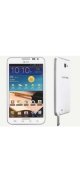
- Samsung Galaxy Note 2
Rete e connessioni Il Samsung Galaxy Note2 successore del...Prezzi - Confronta - Forum 
- Samsung Galaxy S III
Rete e connessioni Uno degli smartphone più...Prezzi - Confronta - Forum 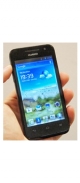
- Huawei Ascend G330
Rete e connessioni Il Huawei G330 è uno smartphone...Prezzi - Confronta - Forum
I cellulari Hewlett Packard più costoso e più economico
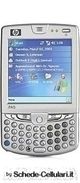
- Hewlett Packard iPAQ hw6515
Il cellulare Hewlett Packard più costoso: 235.00 €!Prezzi - Confronta - Forum - Hewlett Packard iPAQ hw6515
Il cellulare Hewlett Packard più economico: 235.00 €!Prezzi - Confronta - Forum
Marche dei Cellulari
- Acer
- Alcatel
- Amoi
- APPLE
- ASUS
- Bird
- BlackBerry
- Blu
- Ericsson
- Gigabyte
- Haier
- Hewlett Packard
- HTC
- Huawei
- i-Mate
- i-mobile
- Kyocera
- LG
- Maxon
- Micromax
- MIO
- Motorola
- Nec
- Nokia
- O2
- Onda
- Palm
- Panasonic
- Pantech
- Philips
- Sagem
- Samsung
- Sharp
- Siemens
- Sony
- Sony Ericsson
- Spice
- T-Mobile
- Telecom
- Telit
- Toshiba
- VK Mobile
- Vodafone
- ZTE
Altre marche...
Tutti i diritti riservati. È vietata la riproduzione anche parziale. Tutto il materiale è protetto dalla normativa sul diritto d'autore.